Back
Looking to scale on TikTok in 2026? Discover proven campaign strategies, setup tips, and optimization tactics to boost conversions and ROAS.
TikTok Ads
In 2026, TikTok Ads continues to be one of the most powerful growth channels for brands and advertisers worldwide. However, many businesses still struggle with structuring campaigns, optimizing performance, and scaling profitably.
In this guide, we’ll break down everything you need to know about running TikTok ads, from campaign setup to optimization strategies.
What is a TikTok Campaign?
A TikTok campaign is the highest level in TikTok Ads Manager, where you define your objective, budget, and overall direction. Think of it as the foundation of your entire advertising strategy.
When setting up a campaign, you’re essentially telling TikTok what you want to achieve - whether that’s driving traffic, generating conversions, or increasing app installs. Based on this, TikTok’s algorithm will optimize delivery to reach users most likely to take that action.
A standard TikTok Ads structure includes:
Campaign → Objective & budget
Ad Group → Targeting, placements, bidding
Ads → Video creatives shown to users
This structure allows advertisers to test multiple audiences and creatives while maintaining control over performance.
[Ecomdy Guide] How to set up an ad campaign in TikTok Ads Manager
Step 1. Set up your TikTok Ads Manager account
Before running ads, you need to create your TikTok Ads Manager account.
Sign up and log in to TikTok Ads Manager
Fill in your business information
Add billing details
Upload any required documents (if applicable)
This is a one-time setup. Once completed, you’re ready to launch campaigns anytime.
Step 2. Create a new campaign
From your dashboard, click Create (or Create Ad) to start a new campaign.
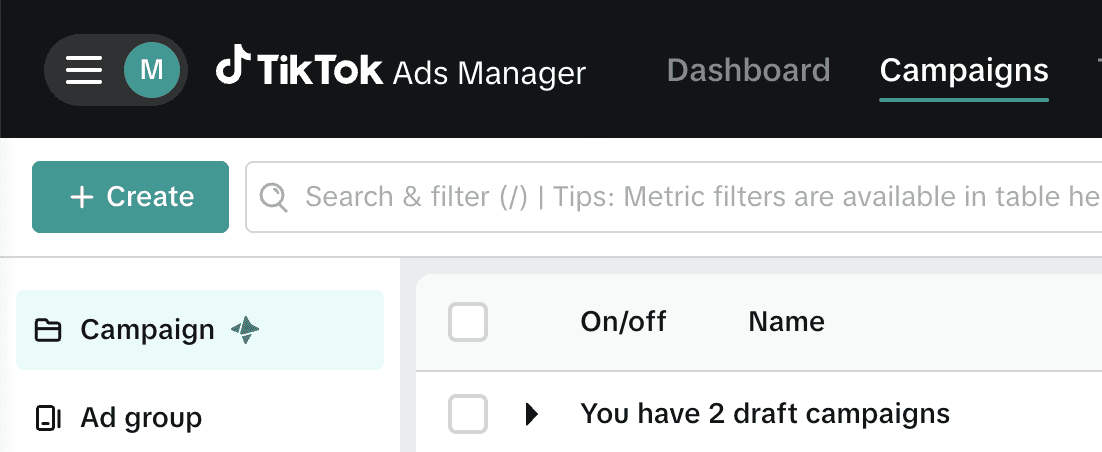
You’ll need to:
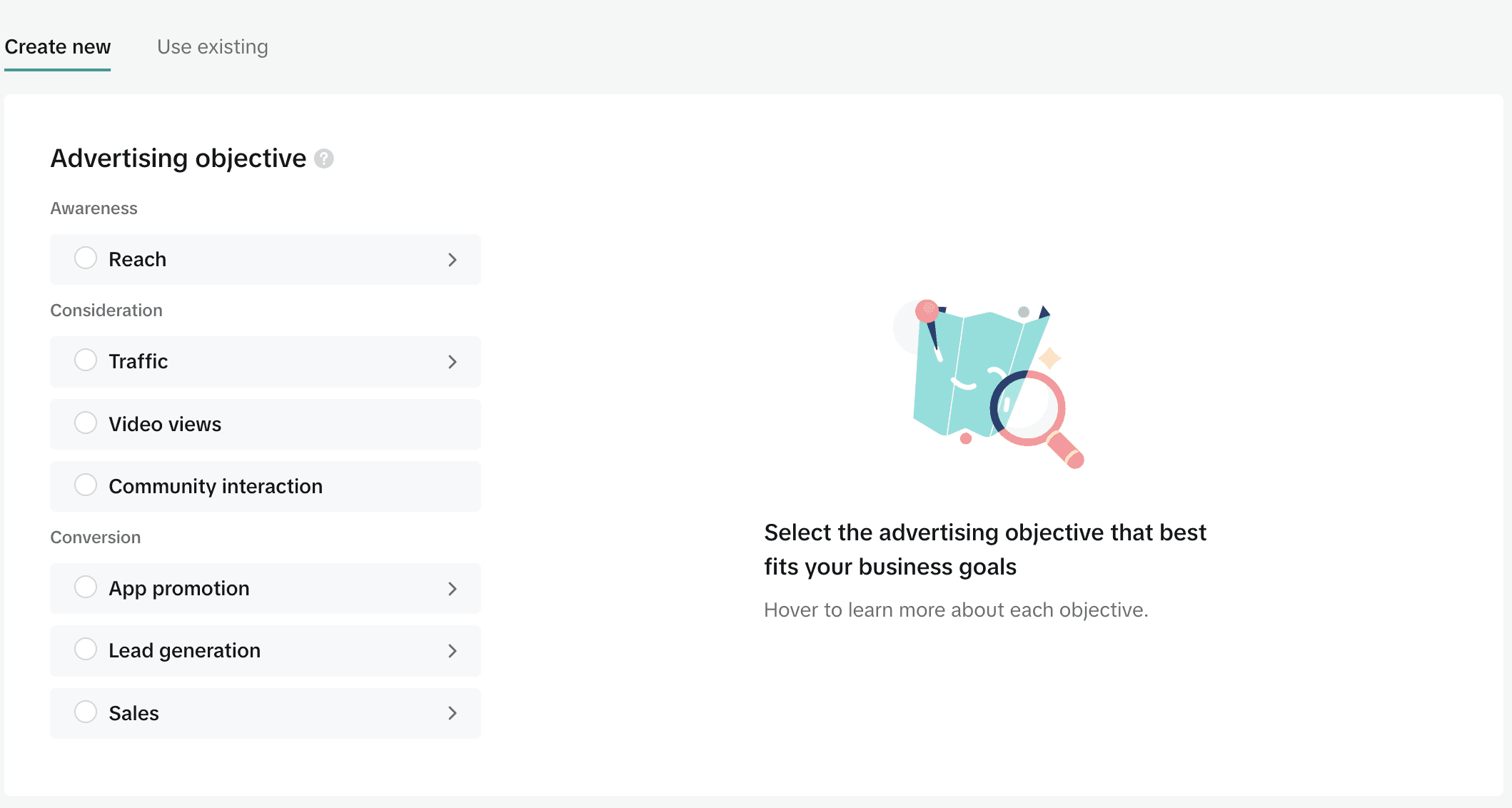
Choose your objective
Awareness
Consideration
Conversion
Your objective determines how TikTok optimizes delivery.
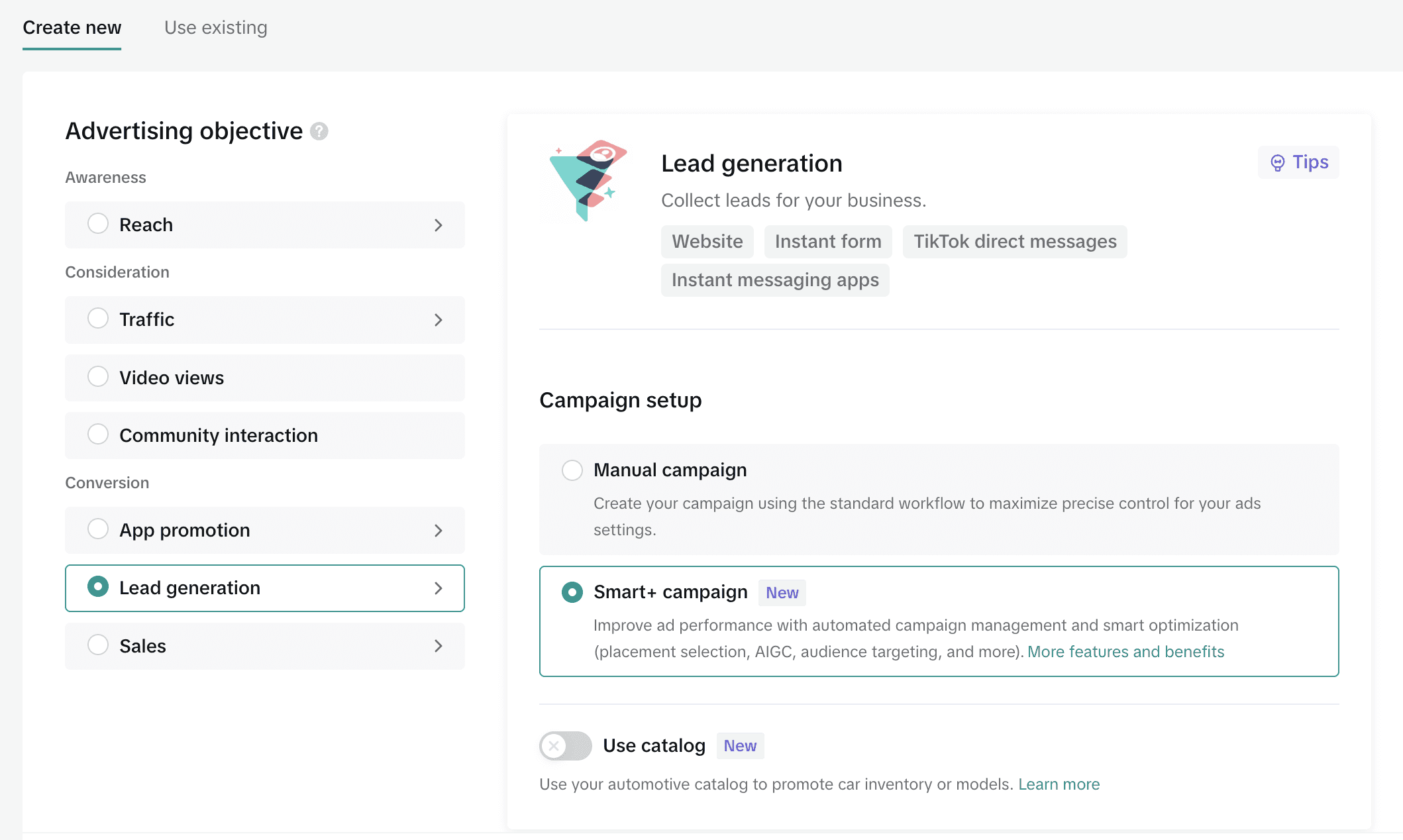
Select campaign type
Manual Campaign – Full control over targeting, bidding, and setup
Search Campaign – Show ads in TikTok search results using keywords
Smart+ Campaign – AI automates targeting, bidding, and optimization
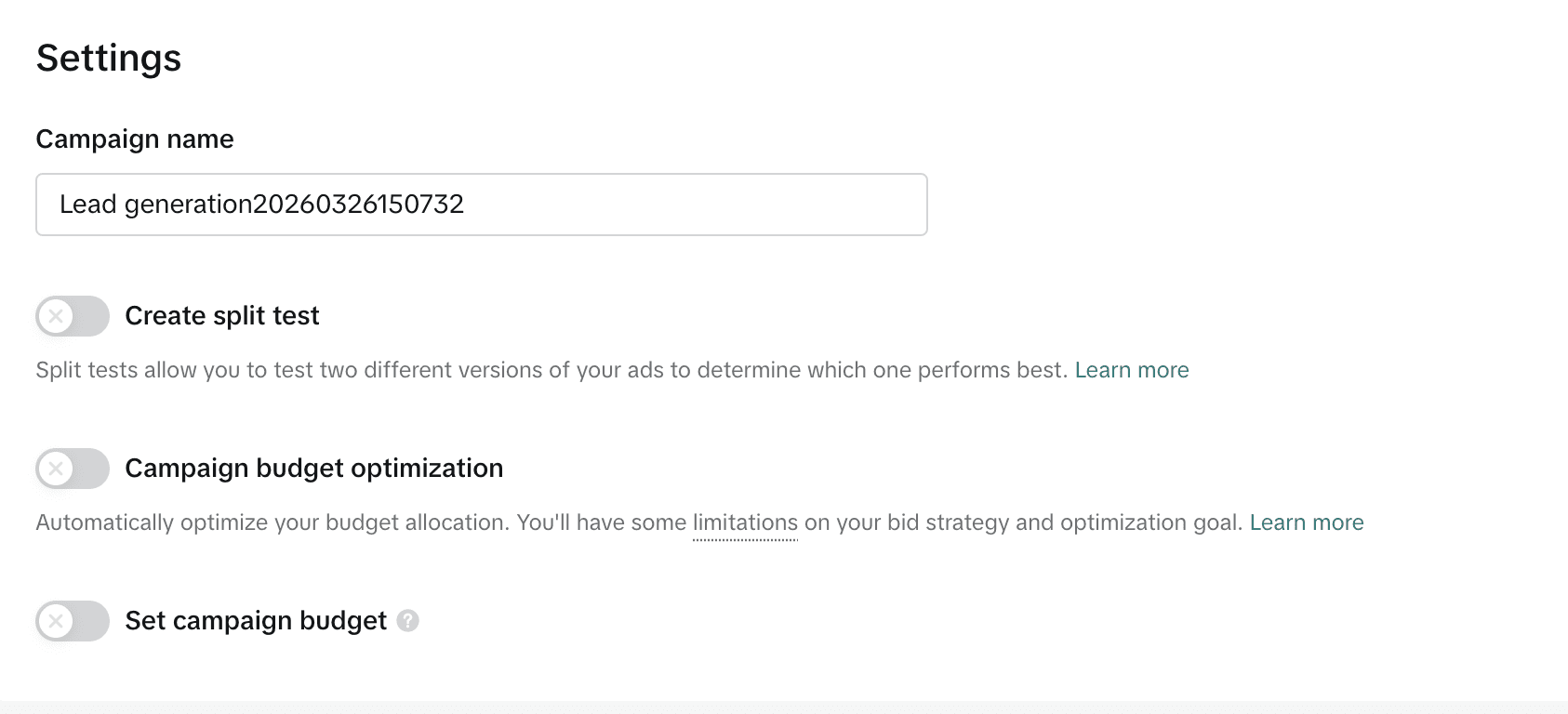
Set up campaign basics
Campaign name (up to 512 characters)
Optional:
Campaign Budget Optimization (CBO)
Split testing
Set campaign budget
💡 Your campaign will automatically be saved as a draft, so you won’t lose progress.
Note: If you’re using Smart+ Campaigns, TikTok will automatically handle targeting, bidding, and optimization. This means you won’t need to manually configure most of the optimization settings in the steps below.
Step 3. Set up your ad group (targeting & delivery)
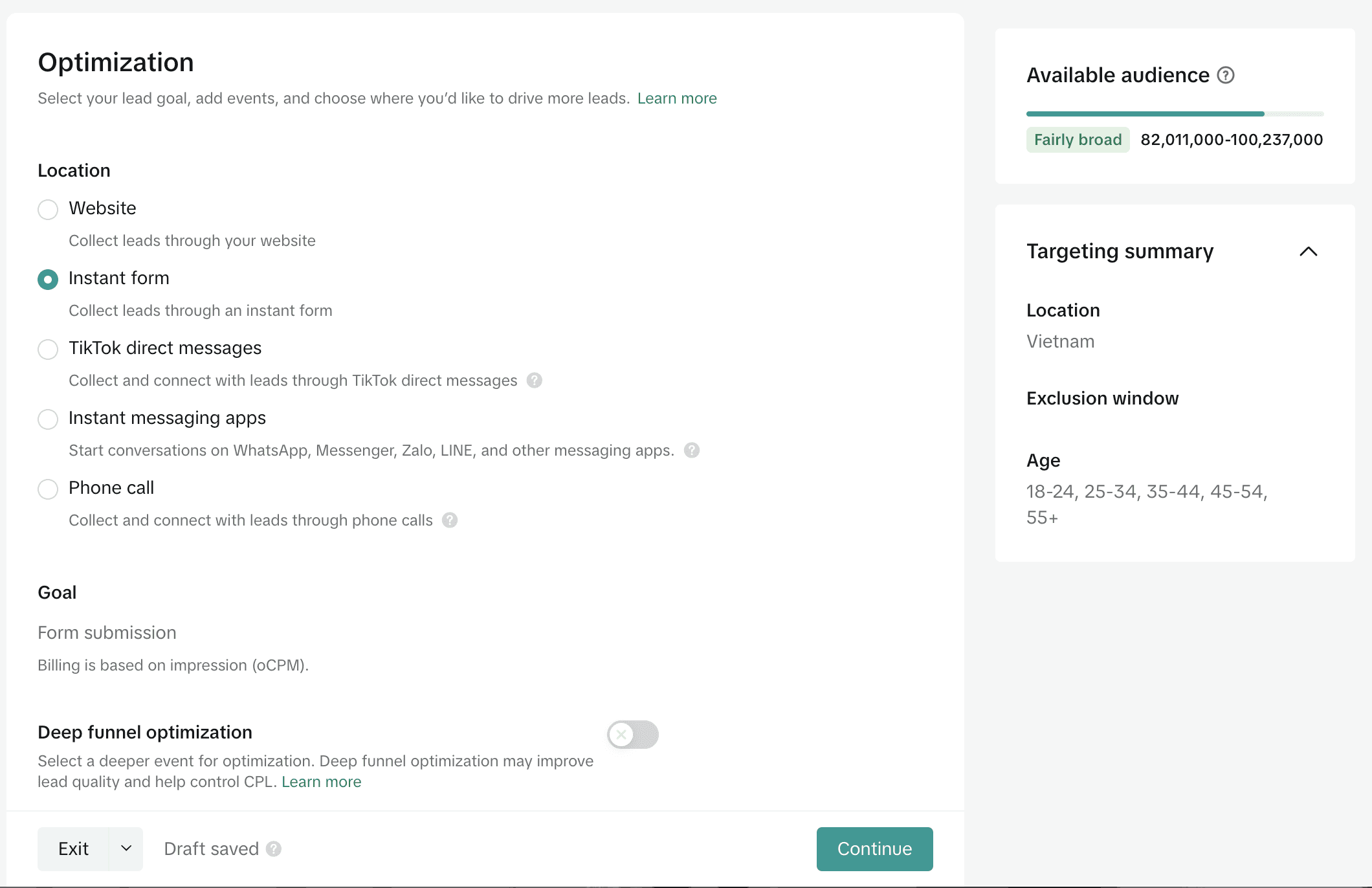
This is the most important layer, it directly impacts performance.
Placements
Auto placement (recommended)
Or manual placement if you want more control
Targeting
Location
Age & gender
Interests & behaviors
Device type
Budget & Schedule
Daily or lifetime budget
Start & end date
Bidding strategy
Lowest Cost → maximize scale
Cost Cap → control CPA
Optimization goal
Clicks
Conversions
Leads (Must align with your campaign objective)
Step 4. Create your ad (creative & tracking)
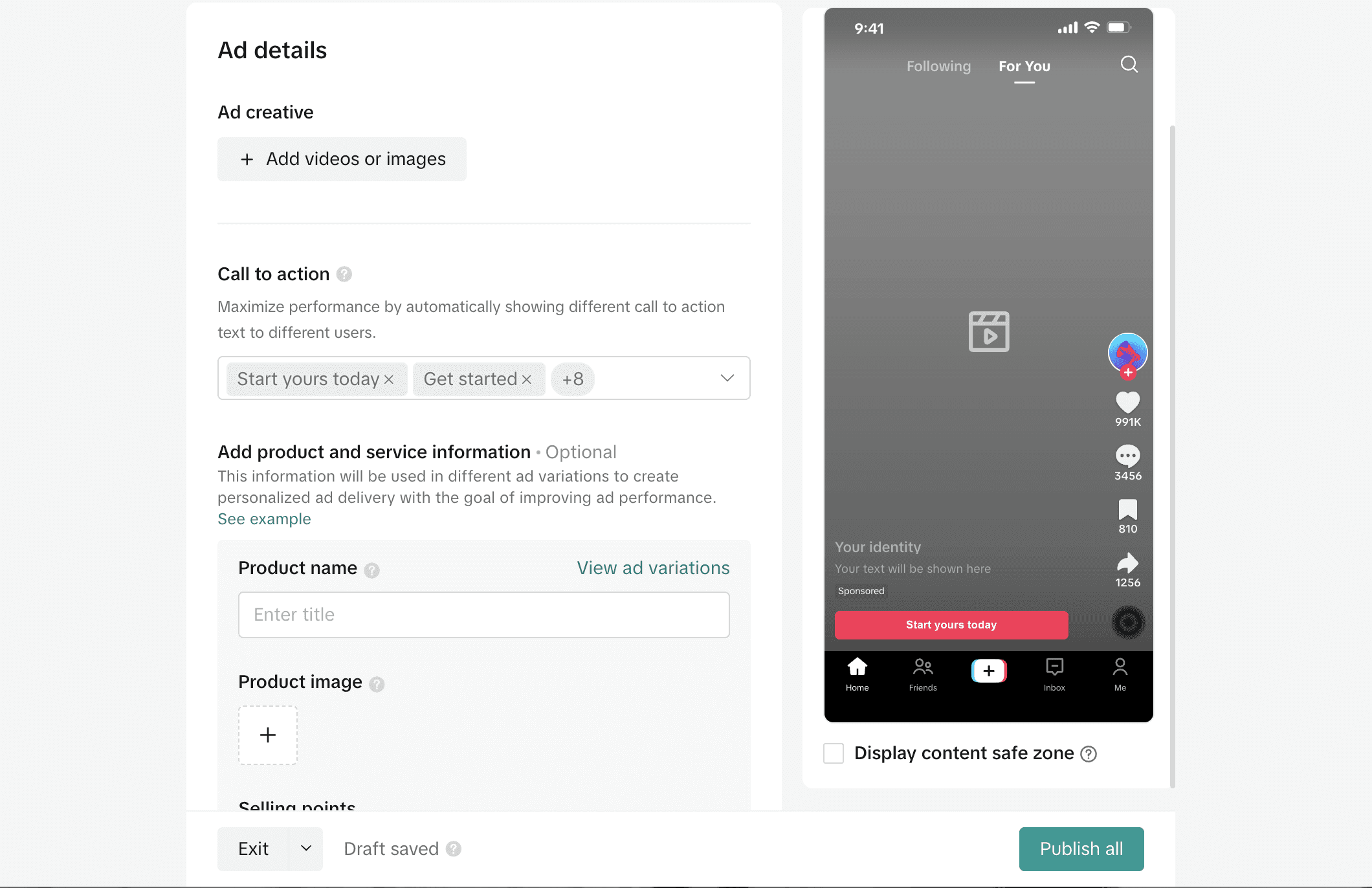
Inside each ad group, you’ll create the actual ad.
Creative setup
Upload a video or use an existing post (for Spark Ads)
Set ad name
Add branding (display name, profile image)
Ad content
Write compelling ad copy
Add CTA (Call-To-Action)
Insert landing page URL or TikTok Shop link
Tracking setup
Install TikTok Pixel
Set up conversion events
Add UTM parameters for tracking performance
Step 5. Review & launch
Before publishing:
Double-check all campaign settings
Submit for review (usually approved within 24 hours)
Ads will go live based on your schedule
Ecomdy Tips for Setting Up and Optimizing TikTok Ad Campaigns
If you’re new to running TikTok ads, getting the fundamentals right from the beginning can save you both time and budget. From creative strategy to campaign setup and optimization, here are key tips to help you build high-performing TikTok campaigns.
Focus on Native-Style Video Creatives
TikTok is a content-driven platform, so your ads should feel organic rather than promotional. The best-performing videos are usually 15–35 seconds long and blend seamlessly into users’ feeds. Formats like product reviews, unboxing reactions, real customer experiences, and trend-based content tend to drive higher engagement.
If you want to run ads effectively on TikTok, you need to understand that creative is everything. Mastering how to produce high-performing ad creatives is not optional - it’s the key to scaling.
Set Up Your Campaign for Better Learning
Avoid optimizing for deep conversion events like “Complete Payment” too early. Instead, start with mid-level actions such as “Add to Cart” or “Place an Order” to help the pixel collect data.
Also, keep your structure clean:
Don’t target multiple countries in the same ad group
Ensure your budget is at least 30–50x your target CPA
This gives TikTok enough data to optimize effectively.
Install and Verify Your Pixel Properly
A properly set up pixel is essential for tracking and scaling. Make sure your events are firing correctly across your website (Shopify, WooCommerce, WordPress, etc.).
You can check this by:
Using TikTok Pixel Helper
Testing events directly in Ads Manager
Running with agency ad account
If you want to scale faster and unlock more advanced capabilities, using an agency ad account can be a strong advantage.
With an official TikTok Marketing Partner and their agency accounts, you can:
Get early access to beta features and exclusive tools (e.g. whitelist, advanced campaign types)
Unlock more precise targeting options across different markets
Receive expert support for faster issue resolution and optimization
Ensure better compliance & approval rates, as creatives are pre-screened to reduce ad rejection and account risks
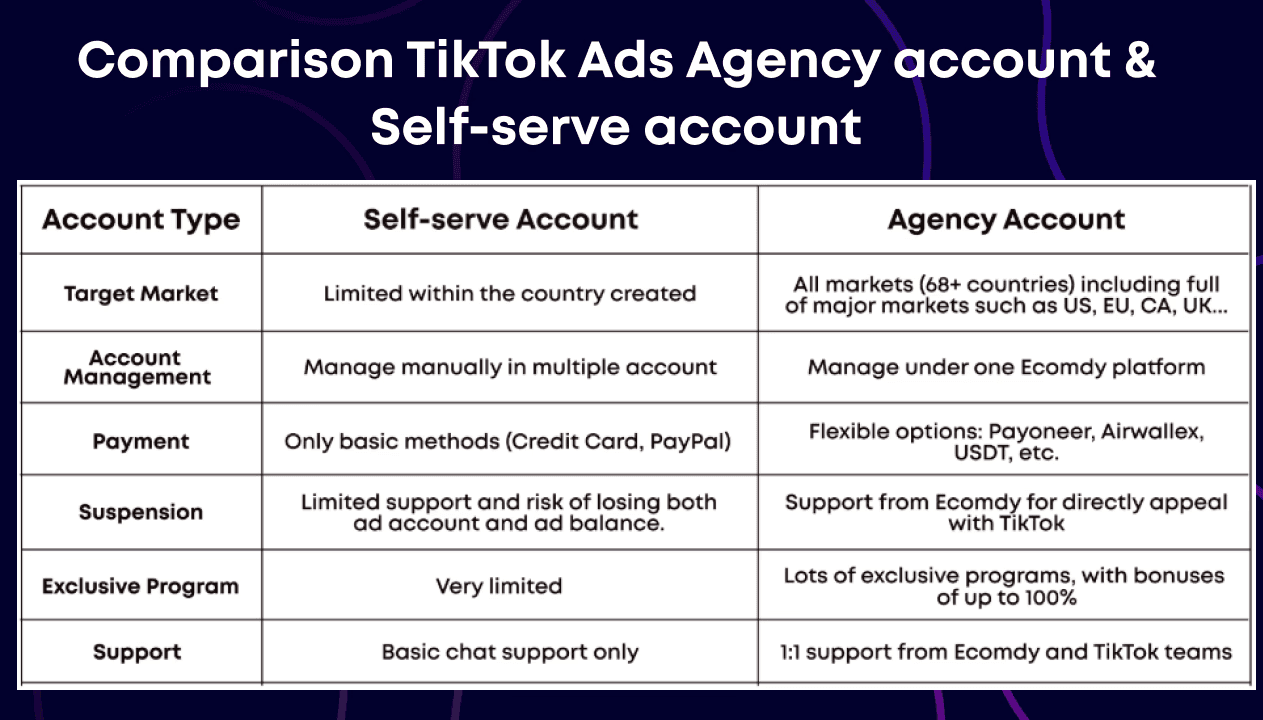
This is ideal if you’re serious about scaling and want to run campaigns more efficiently and securely.
Track Performance and Optimize Continuously
Low spend or no delivery → Check pixel, expand targeting, or increase budget
High clicks but low conversions → Improve landing page, offer, or product positioning
Low CTR → Refresh or replace your video creatives
👉 In most cases, performance issues come from creatives, not targeting.
Avoid Common Mistakes That Lead to Rejection
Currency mismatch between ad and landing page
Language inconsistency with target audience
Incomplete landing page (missing contact info, policies, etc.)
Ensure full compliance with TikTok policies to improve both approval rates and conversion performance.
Conclusion
TikTok Ads offers massive growth potential, but success comes down to getting the fundamentals right - from campaign structure and tracking to creative and continuous optimization. By following the steps and best practices above, you’ll be able to launch campaigns more efficiently, avoid common pitfalls, and scale with confidence.
If you want to scale faster and maximize performance, consider working with the right partner. At Ecomdy Media, we provide end-to-end TikTok Ads solutions, including agency ad accounts, expert support, and advanced tools to help you grow efficiently.
Get started with Ecomdy Media’s TikTok advertising solutions and scale your campaigns with a team that delivers real, measurable results.