Back
This guide covers tips & best practices for maximizing GMV through Product GMV Max campaigns on TikTok Shop.
TikTok Shop
The e-commerce landscape on TikTok continues to evolve - and for sellers using TikTok Shop, one of the most effective tools now is Product GMV Max Ads. This campaign type is designed to maximise your Gross Merchandise Value (GMV) by leveraging automation, performance-driven bidding, and optimisation across paid and organic traffic
What is Product GMV Max ads?
The Product GMV Max campaign type on TikTok Shop is an automated advertising solution for product listings (non-live) that optimises for total channel ROI rather than just click or impression metrics.
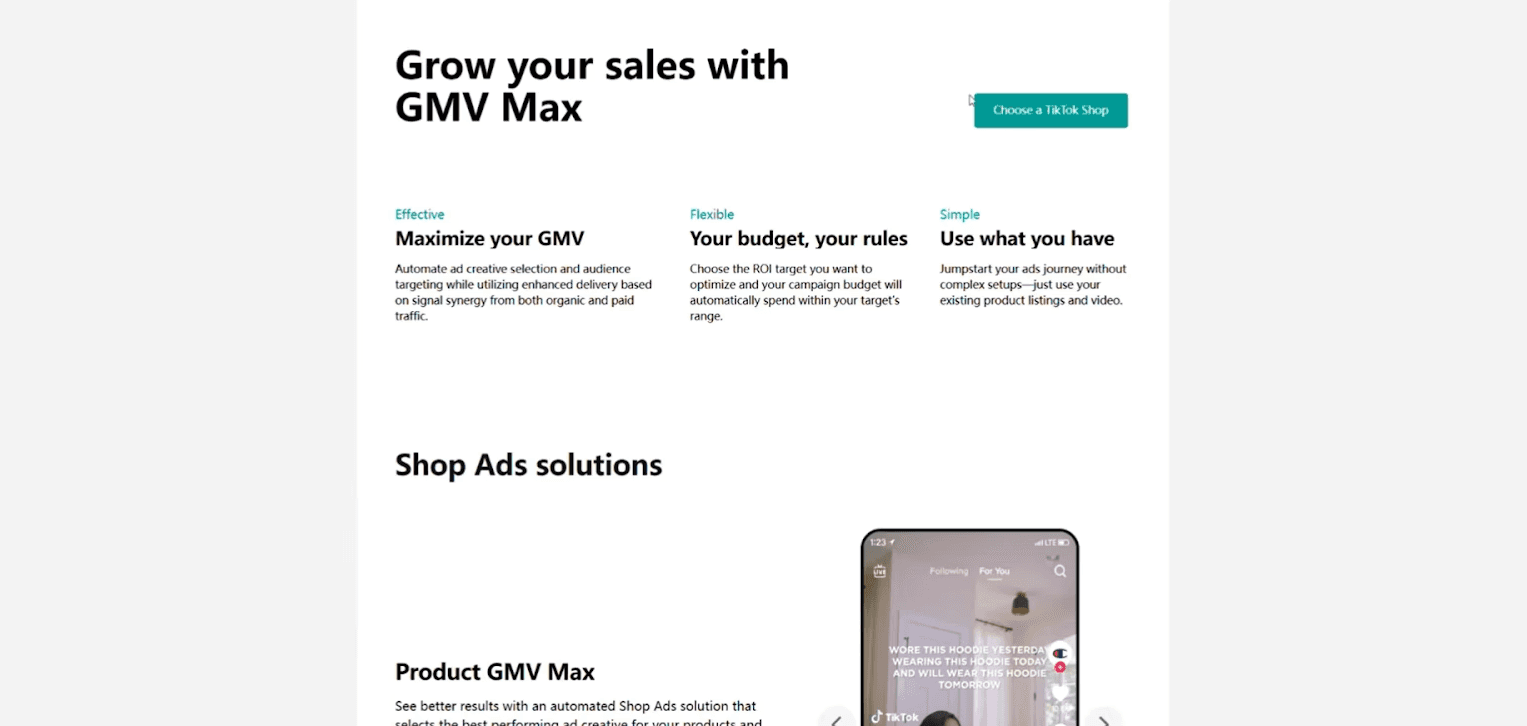
Key characteristics:
You select one or more products (or your full catalogue) and set a target ROI and budget.
The system uses machine learning to choose placements, creatives, targeting, and optimises spend across paid + organic traffic.
TikTok positions it as the primary (and gradually exclusive) sales objective campaign format for Shop ads.
Because of automation, the system may reallocate budget dynamically, and it emphasises enough data volume & sufficient budget to learn.
So basically: you pick your products + ROI target + budget, feed the system good creatives, and let it drive GMV. Your job: choose wisely and monitor smartly.
How to Set Up a Product GMV Max campaign
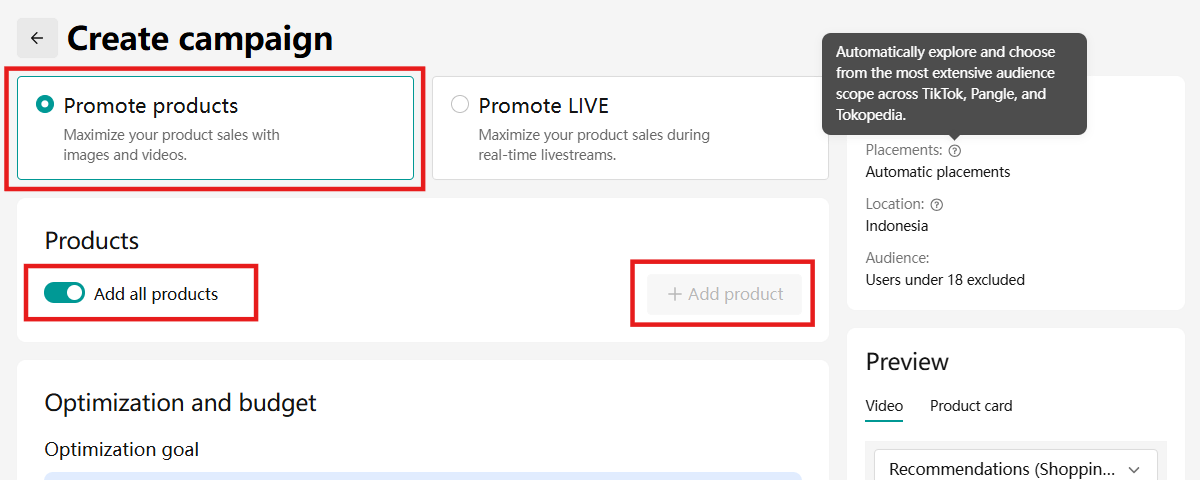
Here’s a step-by-step setup with details:
Determine your ROI target
Decide what return you expect from each dollar spent. For example, if you’re willing to invest 20% of your GMV into ads, your OR, in simpler terms, is 1 / 20% = 5×.
So if you spend $100, you expect about $500 GMV (i.e., ROI = 5).
Make sure the target is realistic based on past data; too high and the system may be underspent.
Set an adequate daily budget
Your daily budget must be big enough for the algorithm to gather enough conversions and learn. Small budgets may hamper optimisation.
As a rule of thumb, at least 10× your Average Order Value (AOV) is suggested to give the system proper room.
Select products
Option A: Promote all products in your shop (fully automated)
Option B: Select individual high-potential SKUs manually
Best practice:
Promote your bestselling items individually (so the algorithm has clearer signals) and group slower-selling or new products together to test.
If you promote multiple products in a campaign, ensure they are thematically or functionally complementary (e.g., same range, matching accessories). This improves relevance and algorithm efficiency.
Avoid mixing totally unrelated SKUs in the same campaign if possible.
Launch your campaign
Choose the start date/time.
Make sure the promoted products are not already included in other active Video Shopping Ads or GMV Max campaigns, to avoid conflicts or overlapping optimisation.
Publish the campaign.
Ensure pre-conditions are met
Confirm your ad account/shop health is good (fulfilment, returns, service).
Ensure that you already have creative assets (videos/images) ready and optimised.
Verify the product pages are optimised (good visuals, descriptions, pricing).
Best practices for optimisation
With your campaign live, optimisation matters. Here are deeper best-practice tips:
Focus on high-quality creatives
The system leans heavily on your creative assets (videos, images) as drivers of both paid and organic exposure.
Use mobile-first formats (vertical 9:16), short durations, clear product demonstration, strong call-to-action, captions if sound is off, and a realistic setting.
Refresh creatives regularly: creative fatigue reduces performance, and the system needs a new signal to keep optimising.
Learn more about shopable video to drive more sales.
Prioritise bestsellers
Best-selling products already have proof of demand → they tend to perform well in GMV Max campaigns. Give them prominence to maximise ROI.
You can scale those SKUs once confident.
Test and expose new/slower-selling products
Don’t ignore new or slower-moving items: include them (either grouped or individually) to test market demand and discover hidden opportunities.
Set a slightly more conservative ROI or smaller budget while testing, but let the system gather data.
Monitor & adjust
Even though automation is high, you should still monitor actual ROI vs target, daily spend, orders, and conversion rate.
If you observe the campaign is not spending its budget or not meeting ROI, consider:
Adjusting the ROI target (perhaps relax it)
Increasing budget (if under-spent and performance is good)
Refreshing creatives
Avoid making too many changes too soon; allow at least 24-48 hours for learning.
Don’t be afraid to spend
If your campaign is eligible and performing within your target, high ad spend isn’t inherently bad — high spend often means the algorithm found scale-worthy segments.
Avoid killing a product just because spend is high; evaluate the ROAS/ROI impact.
Using advanced features
TikTok is constantly rolling out new features to enhance GMV Max Ads. For your GMV Max campaigns, you can now take advantage of powerful features such as ROI Protection, Creative Boost, Accelerate New Creative Testing Mode, and Promotional Day.
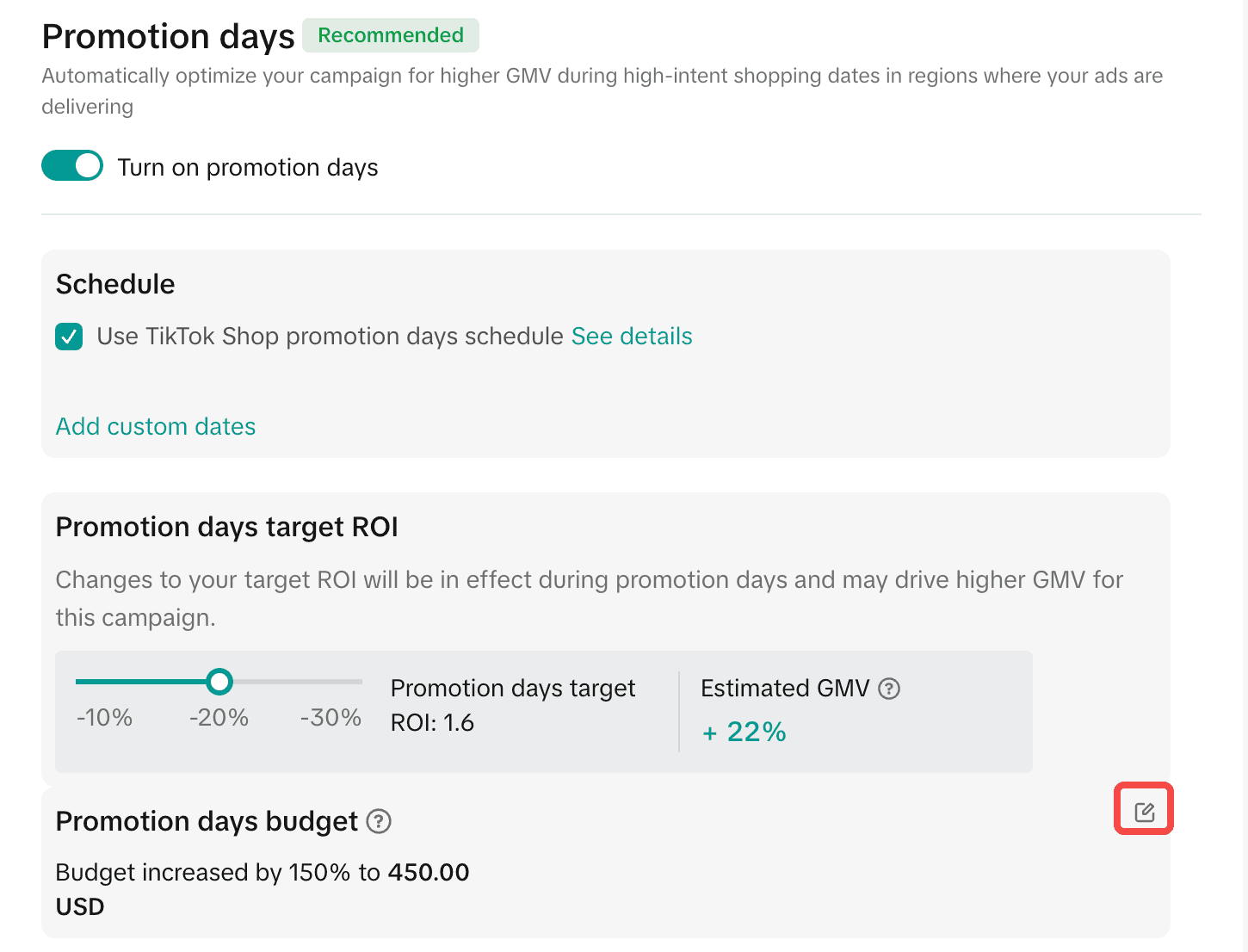
Each feature serves a unique purpose - from protecting your ad spend and improving creative performance to helping you test new videos faster or maximise exposure during sales events.
Some of these advanced features require whitelisting through official TikTok partners like Ecomdy Media. If you want to access or learn more about the latest GMV Max capabilities, get in touch with our team - we’ll help you activate the right features and optimise your campaigns for maximum results.
Putting it all together: recommended strategy
Here is a structured strategy you could follow:
Audit your shop: ensure healthy fulfilment, high reviews, and strong product pages.
Prepare creatives: Gather at least 10-50 video + image assets (UGC, brand, influencer) to feed the algorithm.
Pick your product(s): Choose best-sellers + a new/test SKU.
Set budget: At least 10× AOV per day if possible.
Choose ROI target: Use historical data; maybe start slightly conservative.
Launch GMV Max campaign: Choose Product GMV Max, select products, set budget & target, ensure no duplicates in other campaigns.
Monitor daily: Check spend, orders, and ROI. After ~48 h, if spend >80% and ROI stable, consider scaling budget 10-30%.
Use ROI Protection: Ensure eligibility; monitor for shield icon; consider protection as a safety net, but still aim for organic growth.
Refresh creatives weekly: Add new videos, rotate older ones, test variations.
Scale: As the algorithm learns, gradually raise the budget, maybe tighten ROI target if margin allows.
Evaluate product portfolio: Allocate more budget for top SKU, scale slower/test ones more cautiously.
Maintain shop health: Avoid stockouts, delays, and high refunds - these damage performance.
Conclusion
Running Product GMV Max Ads on TikTok Shop presents a powerful opportunity to scale your e-commerce business through automation, data-driven optimisation and smart creative strategy. By combining a clear ROI target, sufficient budget, wise product selection, and high-quality creatives - and by leveraging advanced features like ROI Protection - you give your campaigns the best chance of success.
Remember: automation doesn’t mean hands-off. The algorithm needs strong signals, stable inputs and strategic oversight. Follow the best practices outlined here, keep monitoring and iterating, and you’ll be well-positioned to maximise your GMV on TikTok Shop.
👉 Book a free consultation with Ecomdy now to get a strategy to drive traffic to your TikTok Shop.